
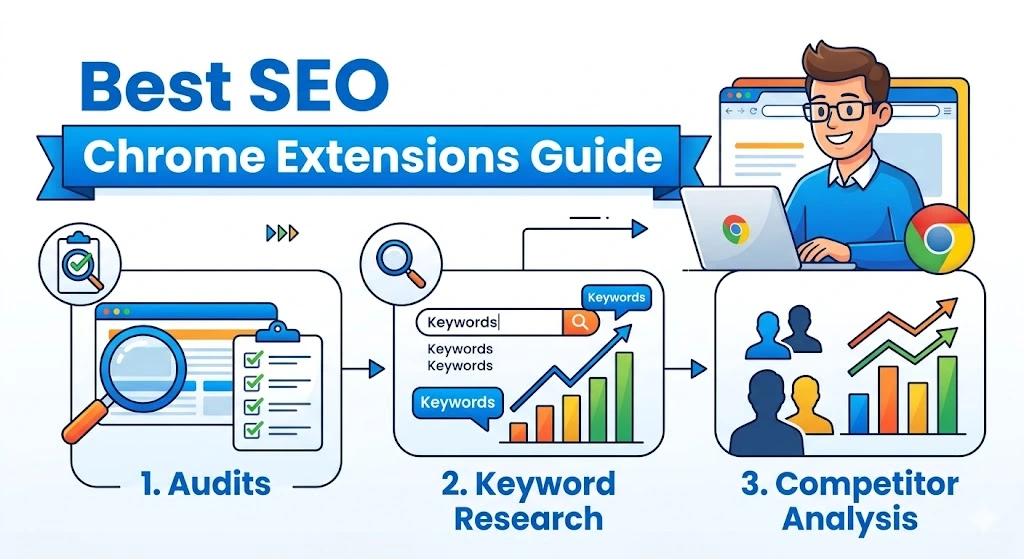
SEO without browser extensions feels painfully slow today.
Marketers, bloggers, freelancers, and agencies constantly switch between tabs for keyword research, technical audits, backlinks, and competitor analysis. That’s exactly why the best SEO Chrome extensions have become essential tools in 2026.
The right extensions can save hours every week while helping you discover ranking opportunities faster.
Whether you’re running a blog, managing client websites, or learning SEO for the first time, this guide covers the most useful SEO Chrome extensions available today — including several advanced use cases that many top-ranking articles completely miss.
Quick Answer: What Are the Best SEO Chrome Extensions?
The best SEO Chrome extensions in 2026 include:
- Keywords Everywhere
- MozBar
- SEOquake
- Ahrefs SEO Toolbar
- Detailed SEO Extension
- Lighthouse
- Check My Links
- Surfer SEO Extension
- Ubersuggest Chrome Extension
- Hunter
These tools help with:
- keyword research
- on-page SEO
- backlink analysis
- technical SEO audits
- competitor research
- page speed optimization
Why SEO Chrome Extensions Matter in 2026
Google’s algorithm is smarter than ever.
Modern SEO now involves:
- content quality
- page experience
- Core Web Vitals
- backlinks
- search intent
- topical authority
Without fast analysis tools, SEO work becomes slow and inefficient.
The best SEO Chrome extensions help you analyze websites instantly while browsing instead of manually opening multiple platforms.
If you’re building a long-term SEO strategy, you may also enjoy:
SEO Content Strategy: A Step-by-Step Guide for 2026
1. Keywords Everywhere
Keywords Everywhere remains one of the most useful keyword research extensions available.
Best Features
- Search volume data
- Cost-per-click estimates
- Related keywords
- Long-tail keyword ideas
- People Also Search For data
The extension works directly inside Google search results.
That means you can perform keyword research while searching normally.
Best For
- Bloggers
- Affiliate marketers
- SEO beginners
- Content writers
2. MozBar
MozBar helps users analyze websites quickly.
Key Features
- Domain Authority
- Page Authority
- Link metrics
- On-page SEO analysis
This extension is extremely useful for competitor research and backlink outreach campaigns.
3. SEOquake
SEOquake is one of the best free SEO Chrome extensions for beginners.
It Provides
- SEO audits
- keyword density reports
- SERP overlays
- internal/external link analysis
Many top SEO professionals still use SEOquake because it delivers quick insights without opening separate tools.
4. Ahrefs SEO Toolbar
Ahrefs is already a massive SEO platform, and its Chrome extension is equally powerful.
Useful Features
- Broken link checking
- Redirect tracing
- Meta tag analysis
- HTTP header inspection
This tool is especially useful for technical SEO audits.
You may also like:
How to Do an SEO Audit in 2026: A Professional Checklist
5. Detailed SEO Extension
Detailed Seo extension has become increasingly popular among technical SEO experts.
Why SEOs Love It
- Fast heading analysis
- Schema markup checks
- Canonical tag analysis
- Structured data review
The interface is lightweight and beginner-friendly.
6. Lighthouse
Created by Google, Lighthouse focuses heavily on technical performance.
It Measures
- Performance
- Accessibility
- SEO health
- Best practices
- Core Web Vitals
This is one of the most important tools for improving page speed.
7. Check My Links
Broken links damage both user experience and SEO.
Check My Links scans pages instantly and highlights:
- broken links
- redirects
- valid URLs
This is particularly useful during technical site audits.
If you’re dealing with technical issues, read:
Are 404 Errors Bad for SEO? Everything You Need to Know in 2026
8. Surfer SEO Extension
Content optimization matters more than ever in 2026.
Surfer SEO Helps With
- NLP keyword suggestions
- content structure analysis
- competitor optimization
- topical relevance
This helps writers create more search-optimized articles.
9. Ubersuggest Chrome Extension
Ubersuggest is Created by Neil Patel, this extension provides fast SEO insights directly inside search results.
Features Include
- keyword volume
- traffic estimates
- domain metrics
- backlink insights
It’s simple enough for beginners but still useful for professionals.
10. Hunter
Most competing articles forget something important:
SEO is not only about keywords.
Backlinks still matter heavily.
Hunter helps users:
- find professional email addresses
- build outreach campaigns
- contact website owners
This makes link building much faster.
If you’re learning authority building, check out:
How to Get Backlinks to Your Website: The 2026 Authority Guide
What Most “Best SEO Chrome Extensions” Articles Miss
Most top-ranking articles simply list tools.
But they rarely explain:
- which extensions beginners actually need
- which tools overlap
- how too many extensions slow Chrome down
- how extensions fit into a real SEO workflow
That’s where many users get overwhelmed.
The Best SEO Chrome Extension Stack for Beginners
You do NOT need 20 SEO extensions.
A smarter beginner setup is:
Recommended Stack
- Keywords Everywhere
- SEOquake
- Check My Links
- MozBar
These four tools cover:
- keyword research
- audits
- backlinks
- competitor analysis
without slowing your browser excessively.
The Best SEO Chrome Extensions for Agencies
Agencies often need deeper workflows.
Recommended Agency Stack
- Ahrefs Toolbar
- Detailed SEO Extension
- Hunter
- Lighthouse
- Surfer SEO
These tools improve:
- technical SEO
- outreach
- content optimization
- client audits
If you manage clients, you may also enjoy:
How to Make an SEO Report for a Client: The 2026 Executive Guide
Do SEO Chrome Extensions Slow Down Chrome?
Yes — and this is something many blogs never mention.
Installing too many SEO extensions can:
- reduce browser speed
- increase memory usage
- create conflicting SEO metrics
Better Strategy
Keep only the tools you actually use daily.
Quality beats quantity.
How AI Is Changing SEO Chrome Extensions
AI-powered SEO tools are growing rapidly.
Modern SEO extensions now include:
- AI keyword suggestions
- content optimization
- SERP intent analysis
- automated recommendations
This trend will continue growing throughout 2026.
You may also like:
How to Use AI for SEO: The 2026 Blueprint for Ranking #1
FAQs About Best SEO Chrome Extensions
What is the best SEO Chrome extension for beginners?
Keywords Everywhere and SEOquake are excellent beginner-friendly options.
Are SEO Chrome extensions free?
Many offer free versions, but advanced features often require paid plans.
Which SEO extension is best for backlinks?
Ahrefs SEO Toolbar and MozBar are strong backlink analysis tools.
Can too many SEO extensions slow Chrome?
Yes. Installing too many extensions can reduce browser performance significantly.
Final Thoughts
Using the best SEO Chrome extensions can dramatically improve your SEO workflow, productivity, and ranking strategy.
The right extensions help you:
- research keywords faster
- analyze competitors instantly
- improve technical SEO
- optimize content efficiently
But the real secret is not installing every extension available.
The smartest SEO professionals build a focused workflow using only the tools they truly need.
And honestly? Once you start using good SEO extensions daily, manual SEO research starts feeling ancient .

