Is your website getting traffic but no sales? Or worse, is your traffic stuck on Page 5 of Google? The problem might not be your content—it might be your site’s technical health.
An SEO audit is like a medical check-up for your website. It identifies the technical “bugs” that are holding you back. In this guide, we’ll show you exactly how to do an Seo audit to boost your rankings and user experience in 2026.
1. Technical “Crawlability” & Indexing
If Google can’t “see” your pages, you can’t rank. This is the first and most critical step of any audit.
- Google Search Console (GSC): Check the “Indexing” report for any excluded pages.
- Sitemap & Robots.txt: Ensure your sitemap is updated and your robots.txt isn’t blocking your most important pages.
- Broken Links (404s): Find dead links and use 301 redirects to keep the “Link Juice” flowing.
2. Speed & Core Web Vitals (The 2026 Standards)
In 2026, speed is a core ranking factor. If your site takes more than 2 seconds to load, you are losing half of your potential visitors.
- LCP (Largest Contentful Paint): Target under 2.5s.
- Mobile Optimization: Since Google uses mobile-first indexing, your site must be flawless on smaller screens.
- Action: Use WebP image formats and minify your Javascript to shave off precious milliseconds.
3. Content Audit & “Content Decay”
An audit isn’t just about code; it’s about the value you provide.
- Analyze Performance: Identify pages with high impressions but low clicks.
- Update Old Posts: If your data is from 2-3 years ago, it’s time for an update.
- Strategy Check: Ensure every post on your site is part of a larger SEO Content Strategy. Without a strategy, your audit fixes will only be temporary patches.
4. On-Page SEO & UX Review
Check if your pages are “readable” for both humans and search bots.
- Header Hierarchy: Only one H1 per page. Use H2s and H3s for sub-topics.
- Image Alt-Text: Every image should describe what it shows for accessibility and image search rankings.
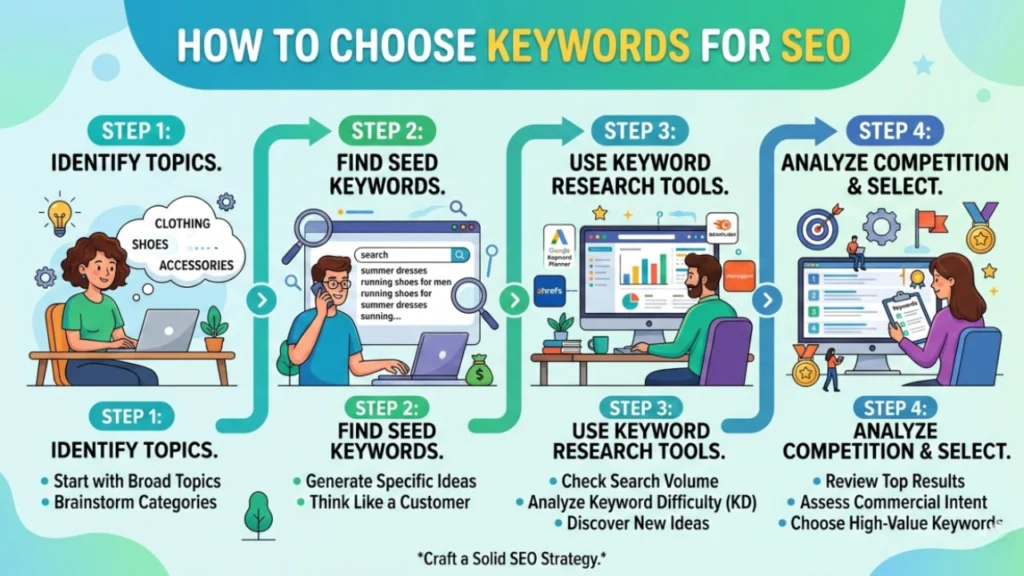
- Keyword Alignment: During the audit, ask yourself: Did I follow the right steps for how to choose keywords for SEO for this page? If the keyword difficulty is too high, you might need to pivot to a long-tail version.
5. Security & Mobile Health
- HTTPS Everywhere: Ensure your SSL certificate is active. Google marks non-secure sites as “Not Safe,” killing your trust.
- UX Audit: Check for “Intrusive Interstitials” (annoying pop-ups) that block content on mobile devices.
📊 Comparison: Essential SEO Audit Tools
| Tool | Best For | Price |
| Google Search Console | Indexing & Gaps | Free |
| PageSpeed Insights | Speed & Web Vitals | Free |
| Screaming Frog | Technical Crawling | Free/Paid |
| Ahrefs / Semrush | Competitor Backlink Audit | Paid |
🛠 Summary Checklist for Your Audit
- Site is accessible via HTTPS.
- XML Sitemap is submitted and error-free.
- All images have descriptive Alt-Text.
- No “Zombie Pages” (thin or useless content).
- Internal links are pointing to relevant pillar pages.
FAQ
Q: How long does an SEO audit take?
A: For a small blog, 2-3 hours. For large sites, it can take days of deep analysis.
Q: Can I automate my SEO audit?
A: Tools can find the errors, but you need a human to prioritize which fixes will actually improve your ROI.