
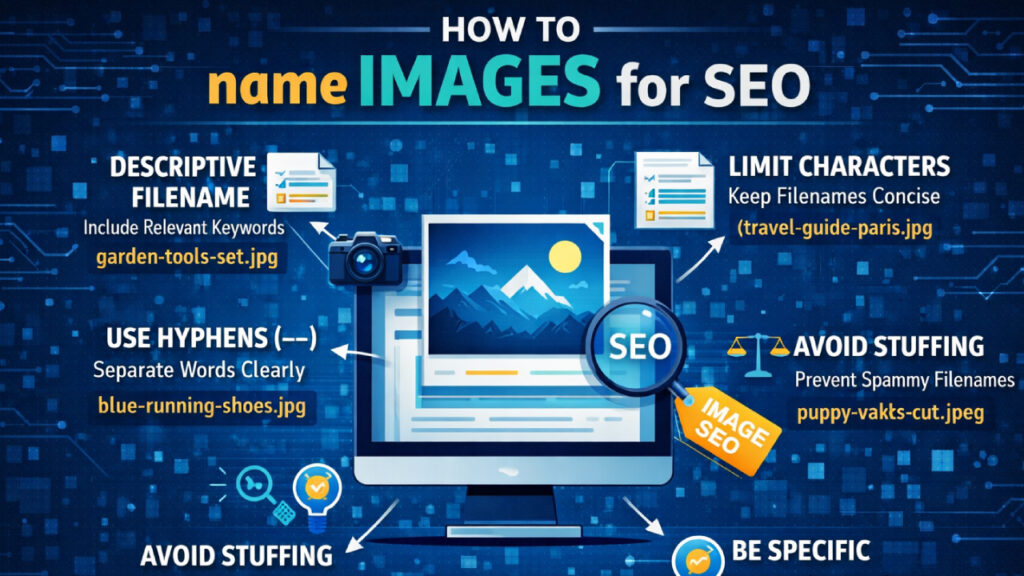
In 2026, Google’s AI Vision algorithms (like Gemini and SearchGPT) are incredibly advanced—they can “see” the objects in your photos. However, File Naming remains a fundamental signal that provides “topical authority” and context to search engines.
If you are still uploading files named DCIM_001.jpg, you are losing out on massive organic traffic. Here is exactly how to name images for SEO to dominate Google Image Search.
⚡ Quick Summary: Key Takeaways
- Be Descriptive: Use keywords that describe the image.
- Format Matters: Always use hyphens -, never underscores _ or spaces.
- Go Modern: Use .webp or .avif for faster loading.
- Clean Up: Remove “stop words” (a, an, the) to keep names concise.
1. Descriptive, Keyword-Rich File Names
Google’s official documentation emphasizes that the filename gives a strong hint about the subject matter.
Comparison: Good vs. Bad Naming
| Scenario | Bad Filename (Don’t) | Optimized Filename (Do) |
| Product Photo | product1.jpg | blue-nike-running-shoes.webp |
| Infographic | final-v2.png | seo-image-naming-best-practices.svg |
| Team Photo | IMG_556.jpg | digital-marketing-team-pakistan.avif |
Strategic Advice: Place your primary keyword at the beginning. If the image is for an Affordable SEO Service for Small Business, name the file small-business-seo-services-overview.jpg.
2. The “Batch Renaming” Efficiency Workflow
If you have 50 images for one gallery, naming them manually is impossible. Use this workflow:
- The Pattern: primary-keyword-variation-number.jpg
- Example: modern-office-decor-minimalist-1.webp, modern-office-decor-lighting-2.webp.
3. GEO (Generative Engine Optimization) for Images
AI Search engines like Perplexity don’t just “find” images; they “curate” them based on entities.
- Entity Association: AI connects your filename to your brand’s “Entity.”
- The Strategy: Always include a defining entity word. If you are a known expert, use author-name-seo-chart.jpg to help AI associate your expertise with the topic.
4. The “Hyphen vs. Underscore” Technical Rule
Google treats hyphens (-) as spaces, but it treats underscores (_) as “joiners.”
- Google reads red-shoes.jpg as: red [space] shoes
- Google reads red_shoes.jpg as: redshoes
🚨 Common Mistake: Never use spaces in filenames. Spaces turn into %20 in a URL (e.g., my%20image.jpg), which looks spammy and breaks easily.
5. Localization and Multilingual Image SEO
If your business serves different regions, your filenames should reflect the local language.
- Example (EN): how-to-name-images-for-seo.jpg
- Example (ES): como-nombrar-imagenes-para-seo.jpg
- Why? This helps you rank in local-language image searches with much lower competition.
6. Next-Gen Formats and Page Speed
In 2026, Core Web Vitals (specifically LCP) are critical. Your choice of file extension matters for SEO.
| File Format | SEO Benefit | Best Use Case |
| WebP | 30% smaller than JPEG | General blog images |
| AVIF | Superior compression | High-quality hero images |
| SVG | Infinite scaling | Logos and Icons |
7. Avoiding the “Stop Word” Trap
To keep filenames powerful, remove “Stop Words” (a, an, the, in, with, of).
- Bad Example: a-photo-of-a-man-with-a-blue-shirt.jpg
- Better Example: man-blue-shirt.jpg
- The Logic: Google ignores filler words. Removing them keeps the “Keyword Density” high.
✅ The 5-Point Image SEO Checklist
Before you hit “Upload,” make sure your image ticks these boxes:
- Lowercase only? (Avoid Image.jpg)
- Hyphens used? (No spaces or underscores)
- Keywords included? (Describes the content accurately)
- Stop words removed? (Short and punchy)
- Correct Format? (WebP or AVIF for speed)
🛠️ Recommended Tools for Efficiency
- Bulk Rename Utility (Windows): The gold standard for renaming thousands of files instantly.
- Adobe Bridge: Perfect for managing metadata and batch processing for creative pros.
- Squoosh.app: A free tool by Google to compress and rename images one by one.
Conclusion: The Final Verdict
Learning how to name images for SEO is a “set it and forget it” habit. By aligning your filenames with AI expectations, avoiding technical pitfalls like underscores, and using modern formats, you turn your media library into a powerful ranking engine.
FAQ
Q: Should I use my brand name in every image filename?
A: No. Only use it for original brand assets. Overusing it can look like spam (Keyword Stuffing).
Q: How many words should my filename be?
A: Aim for 3 to 6 words. Long filenames are often truncated and ignored by search engines.
Q: Can I use special characters like % or $ in filenames?
A: Never. These characters can break URLs and prevent the image from loading entirely.

