
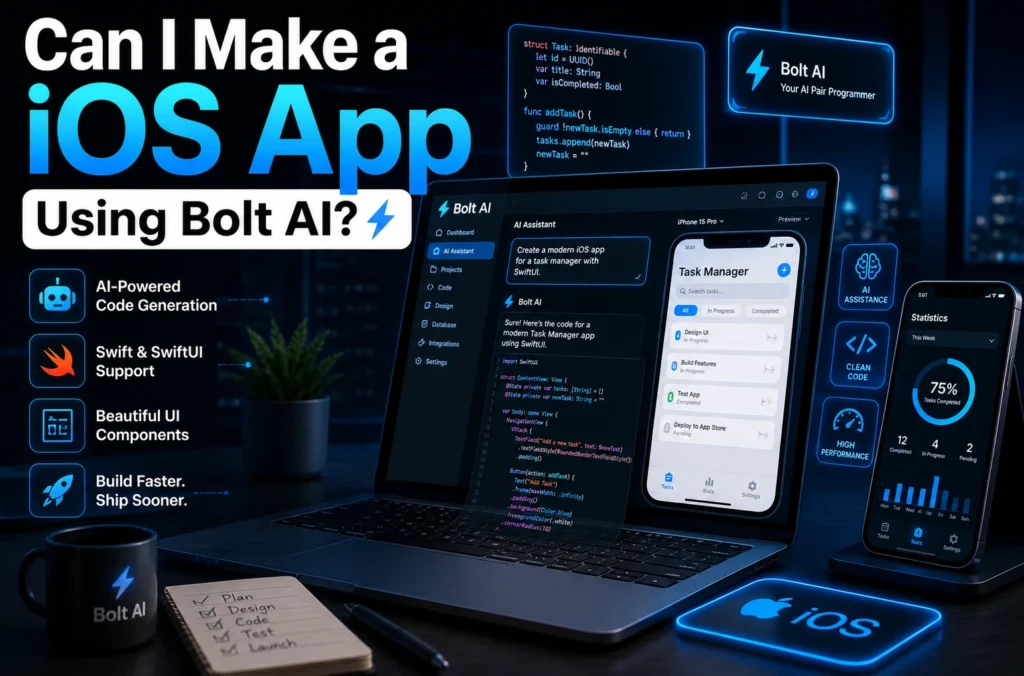
If you’ve been wondering, can i make a ios app using bolt ai, the short answer is yes—but there’s more to it than simply pressing a button.
AI-powered development tools like Bolt AI are changing how apps are created. They can speed up coding, simplify workflows, and even help beginners launch projects faster. But building a polished iOS app still requires planning, Apple compliance, and smart execution.
So, can Bolt AI really help you create an iPhone app? Absolutely—if you understand what it can and cannot do.
In this guide, we’ll break down how Bolt AI works for iOS development, its strengths, limitations, and practical strategies to help you build smarter.
What Is Bolt AI?
Bolt AI is an AI-powered coding and productivity tool designed to help developers generate code, automate tasks, and accelerate software creation.
For iOS app development, Bolt AI can assist with:
- Writing Swift or SwiftUI code
- Creating UI components
- Debugging code faster
- Suggesting app architecture
- Speeding up MVP (Minimum Viable Product) development
Think of it as an intelligent assistant—not a complete replacement for app development knowledge.
Can I Make a iOS App Using Bolt AI as a Beginner?
Yes, beginners can use Bolt AI to start building an iOS app, but there’s an important catch: Bolt AI helps you build faster, but you still need to understand the basics of Apple’s ecosystem.
You’ll still need:
- A Mac or cloud macOS environment
- Xcode
- Apple Developer Account
- Knowledge of app publishing guidelines
Bolt AI can simplify coding, but App Store deployment still follows Apple’s rules.
Best for beginners:
- Simple utility apps
- Habit trackers
- To-do apps
- Basic ecommerce frontends
- Content-based apps
For more technical projects, learning Swift fundamentals is still valuable.
👉 Is There an AI With No Restrictions? Full Truth Guide (2026)
👉 What Is Advent AI? 5 Powerful Things You Should Know
How Bolt AI Helps Build iOS Apps Faster
1. Rapid Code Generation
Bolt AI can generate SwiftUI layouts, navigation systems, and reusable components quickly.
Example:
Instead of manually coding a login page, you can prompt Bolt AI to generate:
- Email field
- Password field
- Authentication button
- Validation logic
This can save hours.
2. Faster Prototyping
If your goal is validating an idea quickly, Bolt AI is excellent for MVP creation.
3. Debugging Assistance
AI can identify syntax issues, optimization opportunities, and logic flaws faster than traditional trial and error.
Limitations: What Bolt AI Can’t Fully Do
While asking “can i make a ios app using bolt ai” is fair, it’s equally important to know its limitations.
Bolt AI may struggle with:
- Advanced backend integration
- Complex App Store compliance
- Payment gateway security
- Native hardware optimization
- Custom animations at scale
Important:
Bolt AI helps create code, but testing, UX polishing, and deployment remain human responsibilities.
Step-by-Step: How to Build an iOS App Using Bolt AI
Step 1: Define Your App Idea
Start with:
- Target audience
- Core features
- Revenue model
Step 2: Use Bolt AI for UI & Logic
Prompt Bolt AI for:
- SwiftUI interfaces
- Navigation
- User authentication
- API integration basics
Step 3: Import Into Xcode
Move generated code into Xcode for:
- Testing
- Device simulation
- Bug fixing
Step 4: Optimize for Apple Guidelines
Review:
- Privacy permissions
- App performance
- UI/UX consistency
Step 5: Publish to App Store
You’ll need:
- App Store screenshots
- Metadata
- Privacy policy
Bolt AI vs Traditional iOS Development
| Feature | Bolt AI | Traditional Coding |
| Speed | Fast | Slower |
| Learning Curve | Easier | Steeper |
| Customization | Moderate | Full |
| Cost | Lower initially | Higher |
| Scalability | Moderate | High |
Is Bolt AI Good for Professional App Development?
For startups and solo creators, Bolt AI can be a huge advantage.
Great for:
- MVPs
- Startup testing
- Freelancers
- Productivity apps
Less ideal for:
- Enterprise apps
- High-security finance apps
- AAA-level mobile experiences
If your goal is to launch quickly, Bolt AI can absolutely help.
SEO & Business Insight: Why This Matters
The rise of AI app builders means lower entry barriers for entrepreneurs.
If you’re a blogger, SaaS founder, or agency owner, using AI tools could dramatically reduce development costs.
You may also benefit from exploring:
- Apple Inc. Developer Program
- OpenAI tools
- Xcode
For official publishing requirements, visit Apple’s developer documentation.
Common Mistakes to Avoid
❌ Relying Entirely on AI
Always test generated code.
❌ Ignoring Apple Guidelines
Even good apps get rejected.
❌ Skipping UX Design
AI-generated apps can feel generic without customization.
❌ No Security Review
User data protection matters.
FAQ
1. Can I make a iOS app using Bolt AI without coding?
You can reduce coding significantly, but some technical understanding is still helpful.
2. Is Bolt AI better than no-code builders?
Bolt AI offers more flexibility than pure no-code tools but may require more setup.
3. Do I need Xcode if I use Bolt AI?
Yes, Xcode is typically required for testing and App Store publishing.
4. Is Bolt AI good for App Store apps?
Yes, especially for MVPs and simple apps, as long as you meet Apple’s standards.
Conclusion
So, can i make a ios app using bolt ai? Yes—you absolutely can.
Bolt AI can speed up development, reduce repetitive coding, and help beginners launch faster. But success still depends on strategy, testing, and understanding Apple’s ecosystem.
If your goal is to build a simple or mid-level iOS app faster, Bolt AI could be a game-changer. For advanced apps, think of it as a powerful assistant rather than a full replacement.
In today’s AI-powered world, building an app is more accessible than ever. The real advantage goes to those who combine AI speed with human creativity.

